The same information gets entered twice.
Requests arrive in one place, progress lives in another, and someone keeps both up to date.

Zoho Creator services
Custom applications for requests, approvals and operations — built around the way your team works.
Talk to a Zoho Consultant
When work outgrows the workaround
It holds the records. Your people still have to hold the process together.
Requests arrive in one place, progress lives in another, and someone keeps both up to date.
The team chases messages to find out who has approved a request and what should happen next.
Your workflow needs its own records, rules or handovers — without another disconnected tool.
What we can build
These are illustrative workflows, not customer case studies. Your app’s scope starts with your process.
Capture the details once, route the request to the right approver and keep the decision with the record.
Give each job an owner, keep progress in one record and make exceptions visible before the next handover.
Let customers or vendors submit and review agreed information through a portal, with access and responsibilities defined up front.
Zoho’s Inspection Management template: capture inspections on mobile and review the records on desktop. Official example screens, not a Zolution customer project.
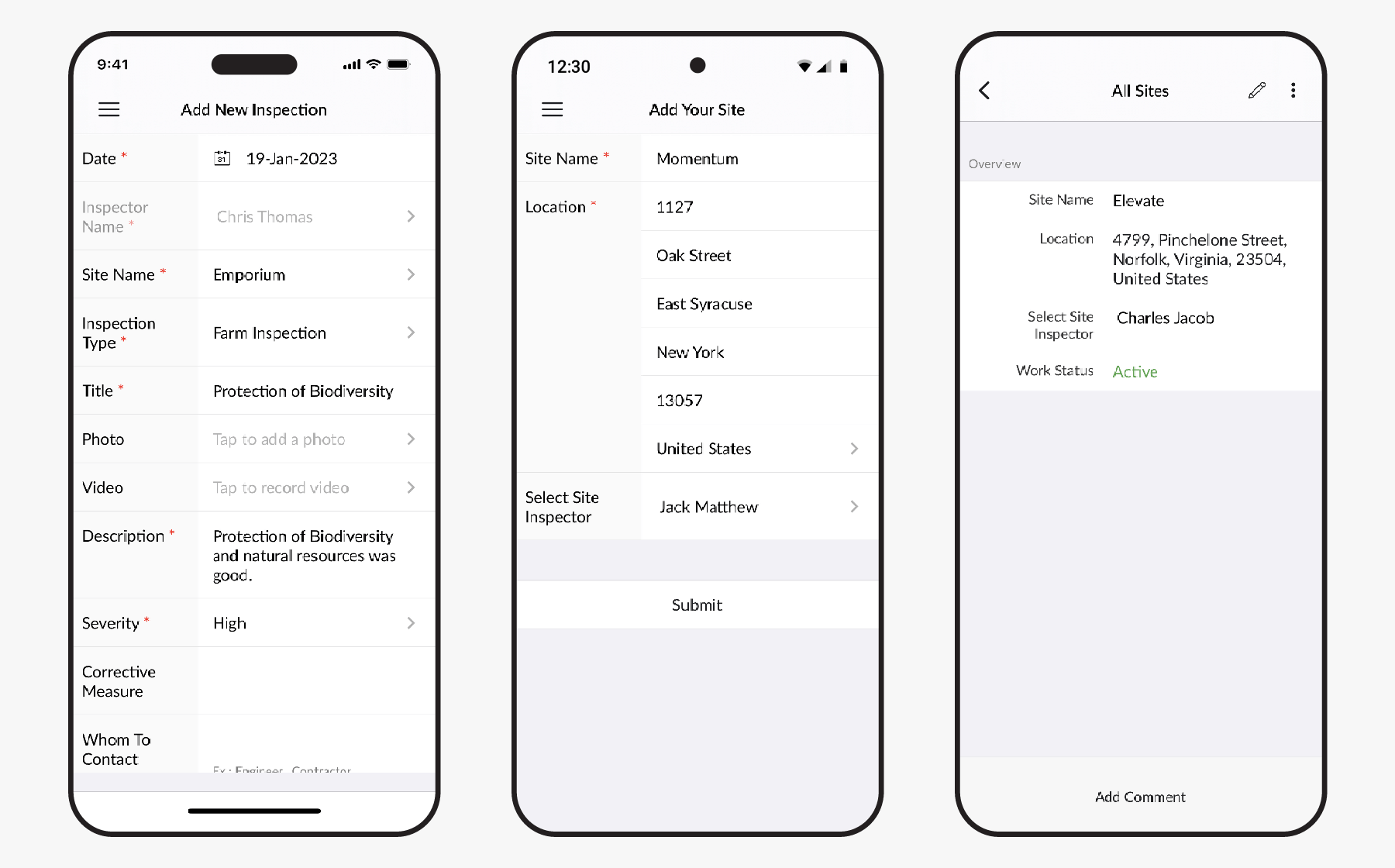
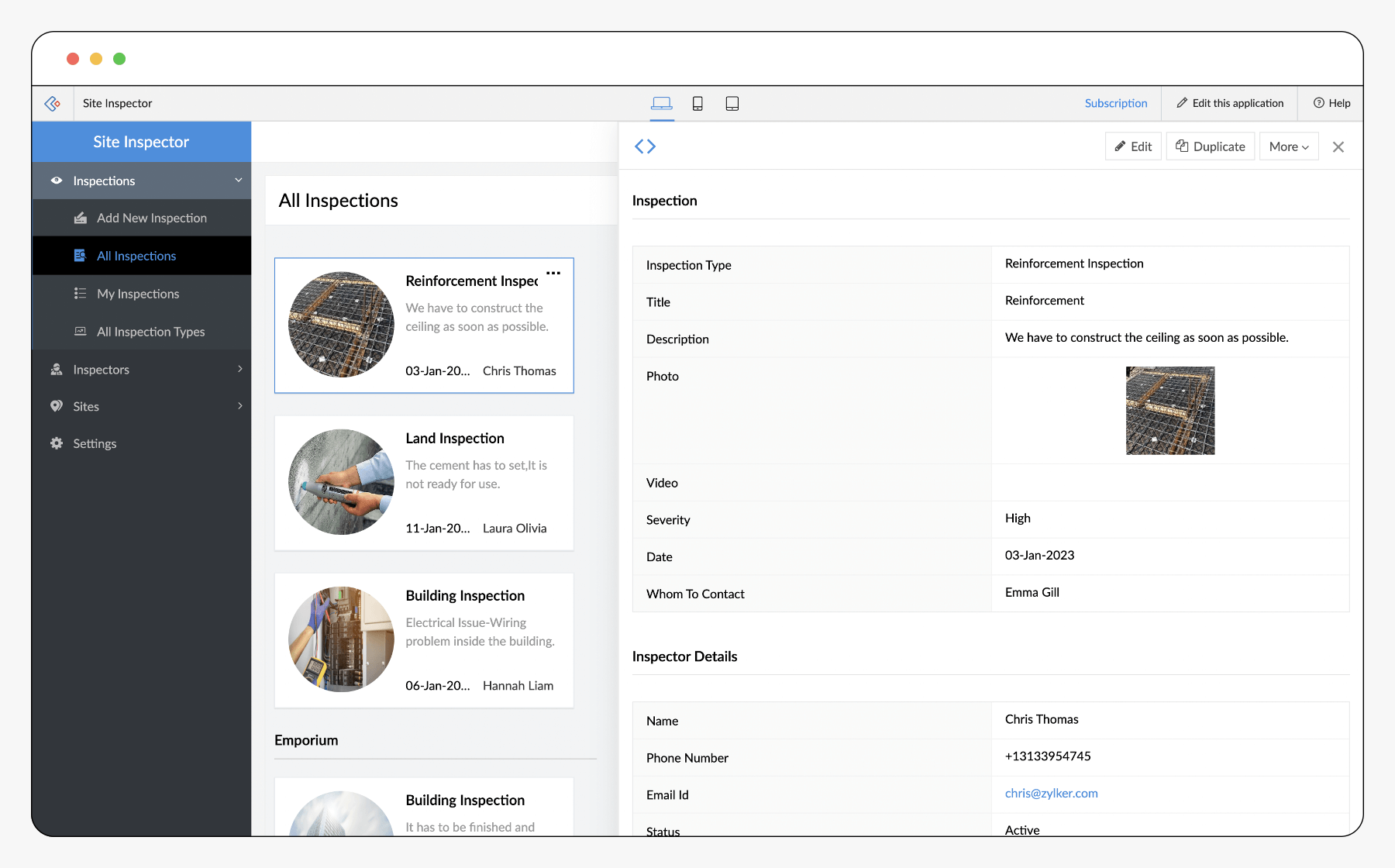
Source: Zoho Creator — Inspection Management ↗Select either screenshot to view it at full size. Your app’s screens depend on the agreed design.
Have a process that does not fit neatly into a standard app?
Talk to a Zoho ConsultantBeyond the screen
Forms & records
Agree fields, relationships, validation and which existing records to retain.
Rules & approvals
Define responsibilities, approval paths, notifications and exceptions.
Connections & visibility
Assess integrations and reporting needs, including data ownership and failed updates.
How we deliver
Walk through the work, including the exceptions. Agree what the app needs to solve.
Review screens, roles and workflows before committing to the build.
Build and test the agreed scenarios with your team and representative data.
Train users and administrators, document the handover and agree ongoing support.
Zoho CreatorPinnacle Performer of the YearAward received by Zolution
Choose the right foundation
We start by checking what your existing tools can already do. Build where it adds value, and connect where it makes sense.
Before we talk
Zoho CRM is built around sales and customer relationships. Creator is a low-code platform for custom applications. We first check whether your requirement belongs in CRM, a standard Zoho application or a custom Creator app.
No. We focus on the processes where shared data, permissions, approvals or repeated manual work justify an application. A simple spreadsheet may still be the right tool elsewhere.
We assess the available interfaces, required data flow and system constraints before confirming an integration. The design includes data ownership, permissions and what happens when an update fails.
Creator supports web and mobile apps. We design and test the required screens and working scenarios for the devices your team uses; specific capabilities are confirmed during scoping.
Timing depends on the workflow, data, integrations and your availability for decisions and testing. We agree the scope and delivery plan after discovery, rather than promise a fixed duration for every app.
We agree administrator responsibilities, documentation, training and support arrangements as part of the handover. Future changes are scoped around how your process develops.