Everyone sees the message. Nobody owns it.
A shared inbox makes requests visible, but responsibility can still be unclear.

Zoho Desk services
Customer support with shared context, clear responsibility and follow-up your team can track.
Talk to a Zoho Consultant
When the inbox becomes the process
Your team wants to help. The missing piece is knowing who is doing what.
A shared inbox makes requests visible, but responsibility can still be unclear.
Replies and internal updates are spread across conversations. Each handover starts with a search.
Managers have to ask for updates to find out what is waiting, what is overdue and where help is needed.
How work moves
Three illustrative support scenarios. We shape the workflow around your team, not a fixed template.
A customer asks for help. The team can see who is replying, what has already been said and what still needs to happen.
When another team needs to step in, pass on the context and responsibility together. Make overdue work visible to the people who can act.
Turn a well-resolved question into useful guidance. Give the team a consistent starting point while leaving room for the customer’s situation.
Where does a customer request get stuck today?
Talk to a Zoho ConsultantInside Zoho Desk
Zoho’s ticket view shows saved queues alongside the customer and ticket details. Agents can focus on unassigned, overdue or open work.
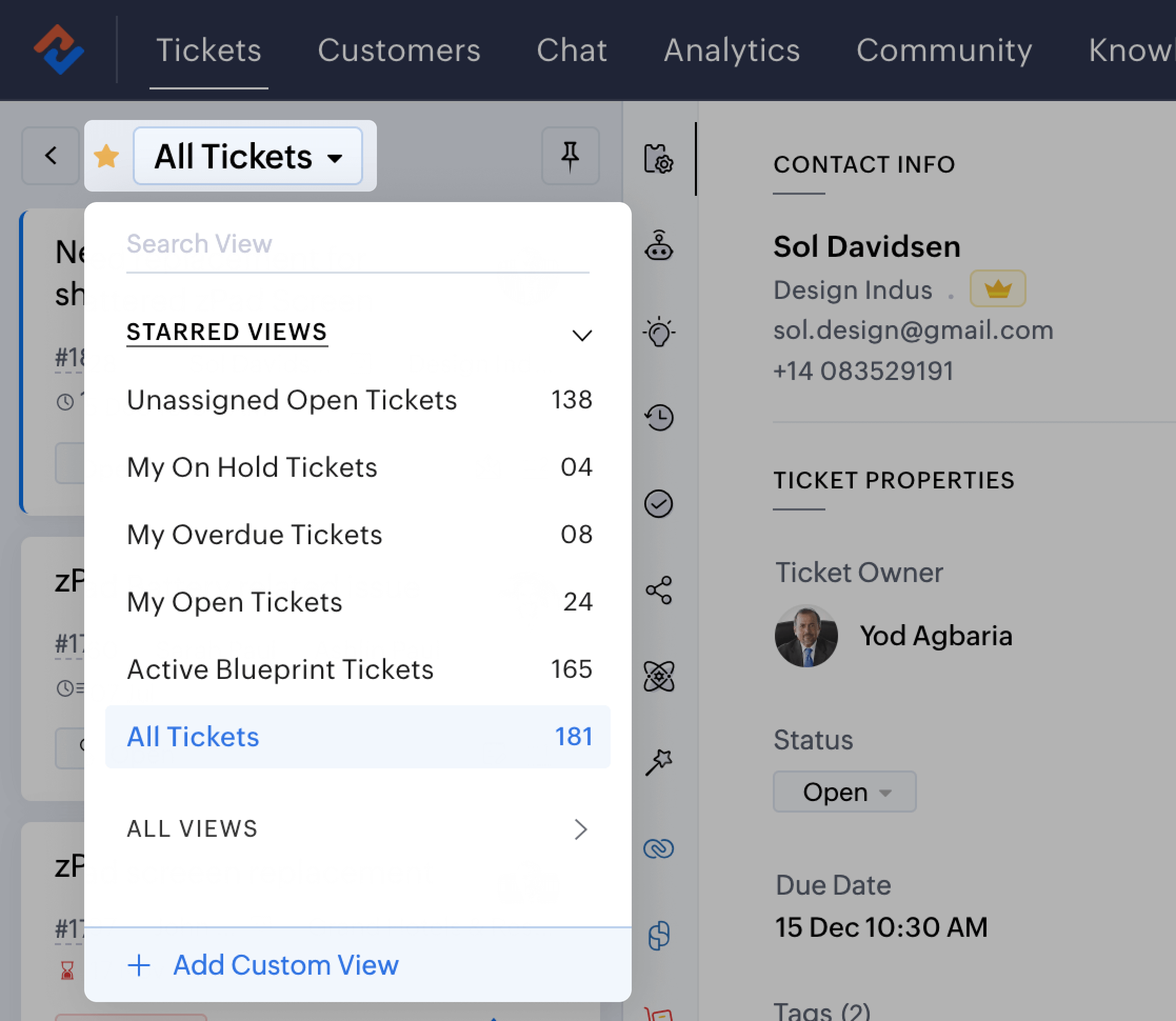
Source: Zoho Desk official website ↗Official product example, not a Zolution customer project. Interface and features may vary by edition and configuration.
What we configure
Intake & ownership
Agree support addresses, ticket categories, departments, access and assignment rules.
Response & escalation
Define business hours, response expectations, priority and who takes over when a request needs attention.
Knowledge & visibility
Plan useful support articles and reporting around the backlog, recurring issues and service commitments.
Zoho Desk supports ticket management, assignment, service-level rules, a knowledge base and reporting. Available features depend on your edition and configuration. Explore Zoho Desk features ↗
How we deliver
Follow a real request from first contact to resolution. Include exceptions and handovers.
Agree queues, responsibilities, service rules and the information agents need.
Configure and test the agreed scenarios, including routing, replies and escalations.
Train agents and administrators. Agree ownership, documentation and post-launch support.
Connect sales and service
Decide what the support team needs to know about the customer, and what sales should know about an open issue.
Before we talk
Yes. We can scope a rollout around your existing support email process, then assess other channels as needed. We confirm mailbox access, routing and the cutover plan before switching anything over.
Yes. We begin by reviewing how tickets reach your team, how they are assigned and where replies or handovers get stuck. The findings determine which changes to prioritise.
We assess what information should be shared, the available integration and who owns each record. Feasibility, permissions and edition requirements are confirmed before an integration is included in scope.
We work with your team to agree business hours, priorities and responsibilities, then configure and test the supported rules. A system can flag overdue work; your team still needs the capacity and authority to act.
We map your required channels, automation, reporting and integration needs to the available editions before recommending a plan. Features and limits vary, so we confirm them during scoping.
The plan depends on your channels, data, workflows, integrations and availability for testing. We agree scope and milestones after discovery; we do not promise one fixed timeline for every support team.
Start with the support queue